
Newsletter Subscribe
Enter your email address below and subscribe to our newsletter

Enter your email address below and subscribe to our newsletter
Seeing the “iPhone Locked to Owner” message means the device is currently protected by Apple’s Activation Lock. This security feature triggers when a device is reset without first signing out of the associated Apple ID. Here are six proven methods to bypass the Activation Lock and regain access, even without the previous owner.
The “iPhone Locked to Owner” screen is a direct result of Apple’s Activation Lock, a server-side security measure tied to the Find My network. When Find My is enabled, Apple registers the device hardware to that specific Apple ID. If the iPhone is erased or factory reset without disabling Find My, the Apple servers will demand the original credentials before allowing anyone to set it up again.
This mechanism prevents unauthorized users from wiping and using a lost or stolen device. To bypass iPhone locked to owner after factory reset, you must either authenticate the existing account or use an authorized removal method to break the link between the hardware and the Apple servers.
Depending on whether you bought a second-hand device or simply forgot your own account details, the right approach will vary. Review the methods below to find the one that matches your current access level.
If you are the original owner and simply forgot that you left Find My enabled before resetting, the safest and fastest way to unlock the device is to enter your credentials directly on the setup screen.
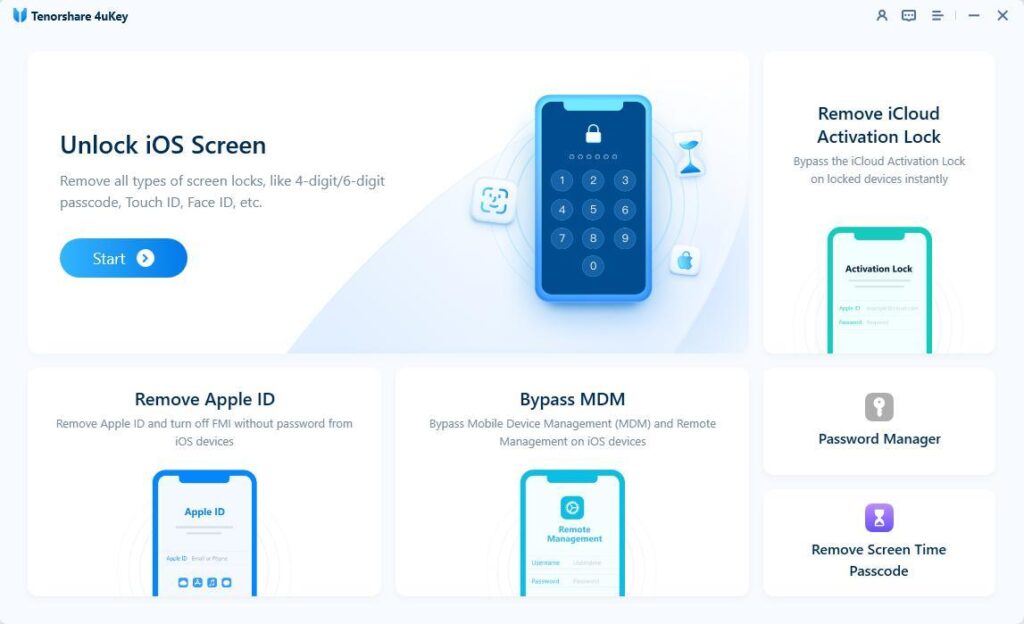
If you cannot reach the previous owner and do not have the Apple ID credentials, a specialized desktop tool can help remove Activation Lock from iPhone without previous owner details. Tenorshare 4uKey is designed to bypass this specific lock screen when standard recovery methods are unavailable.
What Tenorshare 4uKey Can Handle:
Step 1: Download and Install 4uKey
Install 4uKey on your computer, open the application, and select “Remove iCloud Activation Lock” to bypass the iPhone Activation Lock.
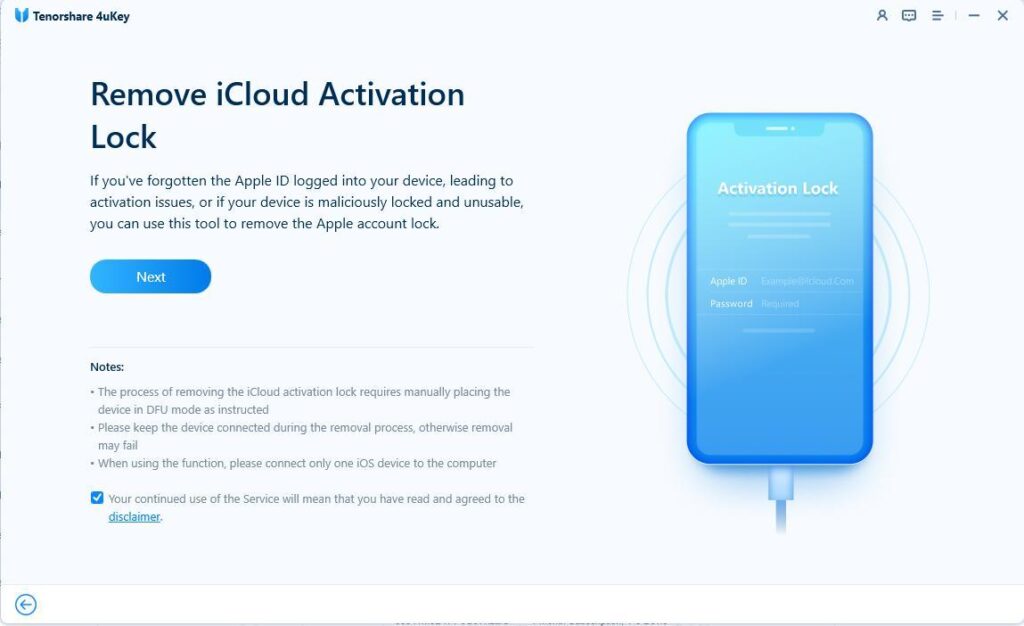
Step 2: Connect the iPhone to the Computer
Connect the iPhone to your computer using a USB cable so that 4uKey can detect the device. Click “Next” to proceed with removing the iCloud Activation Lock.
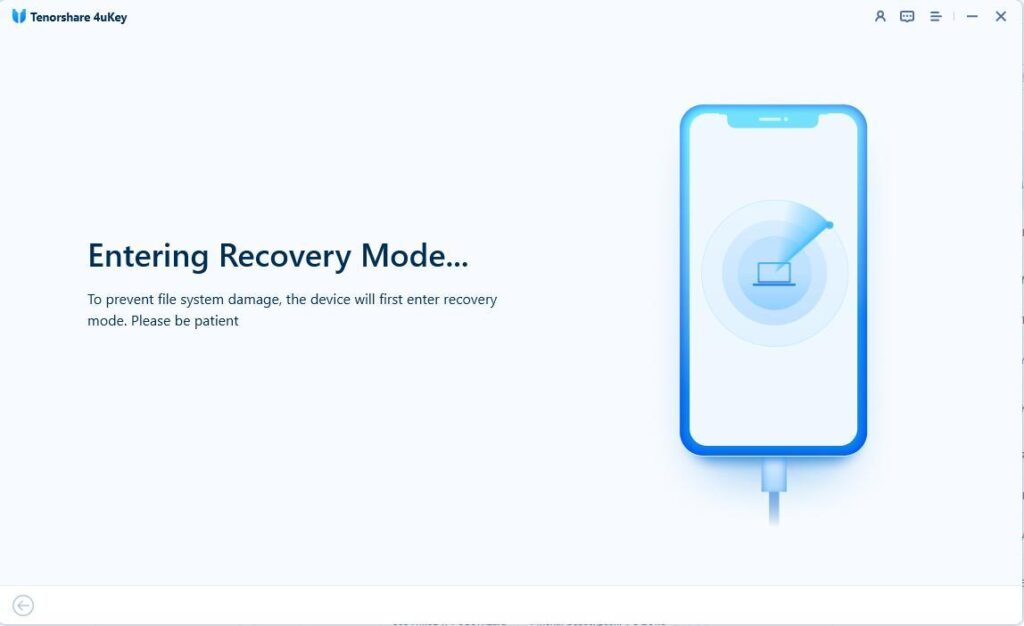
Step 3: Enter Recovery Mode
The software will first place your device into recovery mode to prepare the file system.
Step 4: Jailbreak Your iPhone
After entering recovery mode, the jailbreaking sequence will initiate on your iPhone.
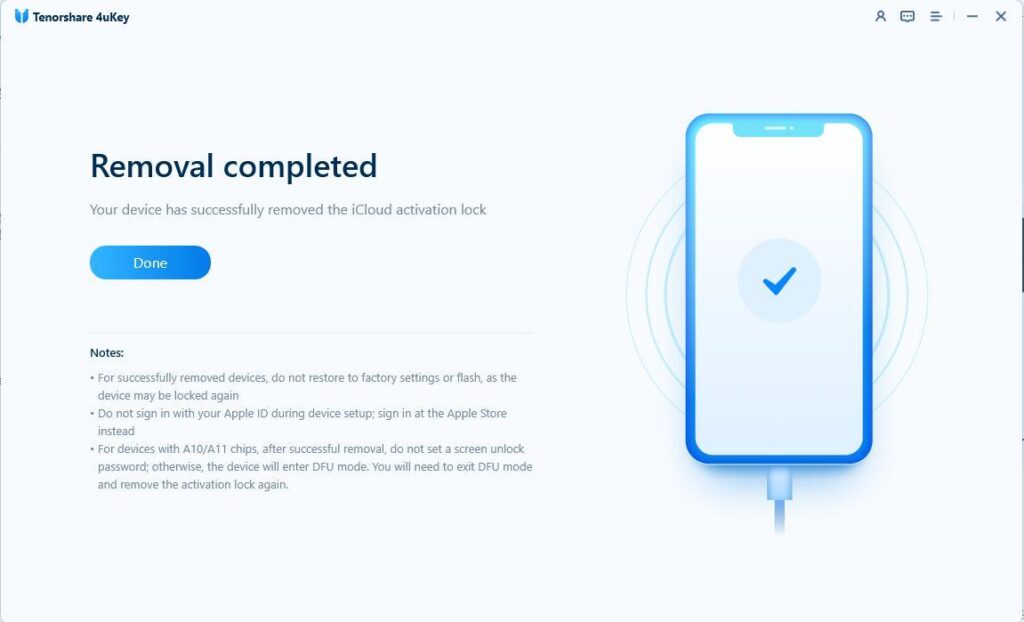
Step 5: Remove iCloud Activation Lock
4uKey will now execute the removal of the iCloud activation lock. Wait for the process to finish, then check your device setup status under supported conditions.
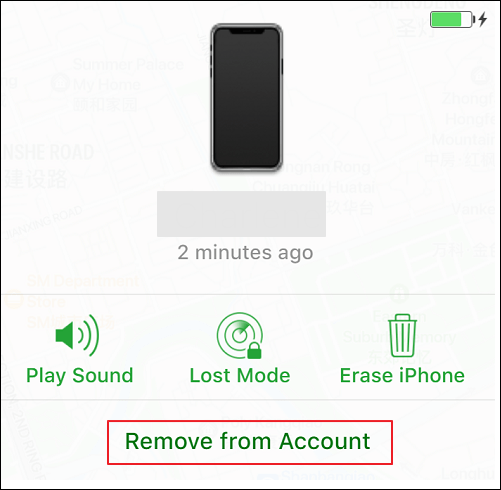
If you bought a used device and the iPhone says locked to owner how to unlock it becomes a matter of contacting the seller. The previous owner does not need to be physically present; they can remove the lock remotely using any web browser.
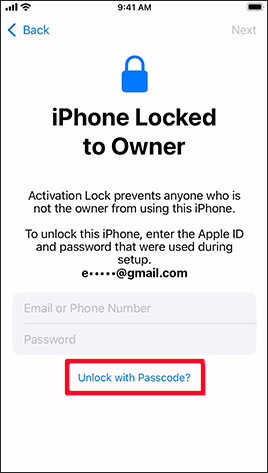
In some cases, Apple allows you to use the device’s previous screen passcode to bypass the Activation Lock, provided the device was running iOS 11 or later and had two-factor authentication enabled.
If accepted, the system will verify the passcode against Apple’s servers and grant you access to finish the setup. This method fails if the option does not appear or if you do not know the previous lock screen PIN.
If you are the rightful owner but cannot recover your Apple ID, Apple Support can manually remove Apple ID Activation Lock on iPhone. You need to provide original documentation proving ownership.
Apple will review your request. If approved, they will wipe the device remotely, which completely erases all data but removes the lock.
If you know the Apple ID email but forgot the password, resetting the password on another device allows you to unlock the iPhone normally.
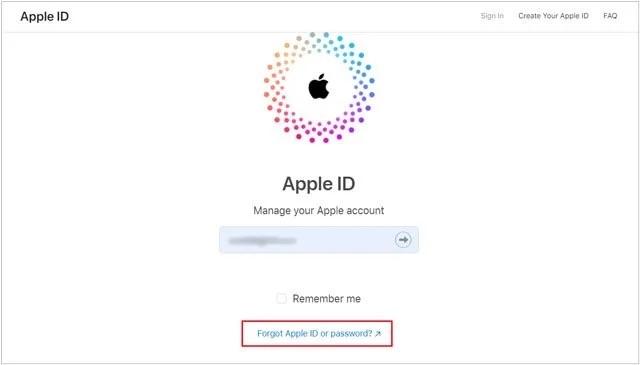
Return to your locked iPhone, enter the new password on the Activation Lock screen, and proceed with the setup.
Once you successfully bypass the lock screen and access the home screen, you should immediately secure the device to prevent future lockouts and ensure all features are functioning correctly.
How to Avoid Buying an iPhone Locked to a Previous Owner
To prevent dealing with Activation Lock altogether, you must take precautions before purchasing a second-hand iOS device. Always verify the status of the hardware before handing over payment.
Final Thoughts
Encountering the “iPhone Locked to Owner” screen is a strict security measure, but it is manageable if you follow the right steps. When official methods are impossible and you lack proof of purchase, specialized software like Tenorshare 4uKey remains the only viable alternative. Always ensure you are legally authorized to access the device before attempting any bypass procedures.
FAQ
Q: Does a factory reset remove the Activation Lock?
A: No. A factory reset erases local data but does not turn off Find My. The device will remain locked to the original owner’s Apple ID until the correct credentials are provided or the device is removed from their iCloud account.
Q: Can Apple Store employees unlock an iPhone without a receipt?
A: No. Apple requires strict proof of purchase showing the serial number and date of sale from an authorized retailer. Without this documentation, they will deny the Activation Lock removal request.
Q: Will using Tenorshare 4uKey erase my data?
A: Yes. Bypassing the Activation Lock requires modifying the system state, which generally involves erasing the existing data on the device. However, if the device is already on the “Locked to Owner” setup screen, the local data has typically already been wiped.
Q: How long does it take for the previous owner to remove the lock remotely?
A: If the previous owner logs into iCloud.com and removes the device from their account, the change is nearly instantaneous. You just need to restart the locked iPhone while connected to Wi-Fi for the servers to update.


