Newsletter Subscribe
Enter your email address below and subscribe to our newsletter

Enter your email address below and subscribe to our newsletter

In the age of Instagram, TikTok, and YouTube, personal style is no longer just about clothing,it is a core part of your online identity. With an AI clothing swap tool, creators can change clothes in photos within seconds,trying new outfits no longer requires a fitting room.
In this guide, we review the best AI clothes changer tools to help social media creators explore new aesthetics, and ultimately discover a style that truly represents them—without shopping.
An AI clothes changer is a tool that replaces outfits in photos using artificial intelligence,which scans the image, finds the body shape, and applies new clothes with proper fit. Users only need to upload a photo and select an outfit.

Personal style matters on social media because it expresses identity, builds confidence, and helps you stand out beyond algorithm-driven trends. A strong personal style fosters authentic connection, reduces overconsumption, and encourages intentional creativity, allowing individuals to engage with fashion for self-expression rather than validation or constant trend chasing.
Now,you maybe want to know How AI Clothes Changers Help You Find Your Style?With an AI clothes changer, you can try Minimalist looks, Streetwear aesthetics,Office-core or quiet luxury or any ideal outfit you want to.
Below, we review the best AI clothing swap tools available today. We compare features, ease of use, output quality, and limits to help you choose the right tool for your needs. This quick view helps you decide faster.
| Tool Name | Platform | Best For | Ease of Use | Output Quality |
| PixPretty AI Clothes Changer | Web(No sign,No download) | Clean and realistic outfit swaps | Very Easy | High |
| YouCam Makeup | iOS, Android, Web | Beauty + outfit try-ons | Easy | High |
| Facetune | iOS, Android | Social media outfit edits | Medium | Medium–High |
| LightX | iOS, Android, Web | Manual control clothing edits | Medium | Medium |
| Fotor | iOS, Android, Web | Quick online edits | Easy | Medium |
| insMind | iOS, Android | Creative fashion edits | Easy | Medium |
| PicsArt | iOS, Android, Web | Fun social content | Very Easy | Medium |
| ZMO.AI TryOn | Web | Online shopping try-on | Very Easy | Medium |
PixPretty AI Clothes Changer is the best AI clothes changer for social media creator which focuses on trending clothing edits and social AI trends development, not only you can deliver clean and natural new outfit look results,but also support change clothing style with background and lighting you like.
For example,I wanted a official business outfit, and this is the result I got using PixPretty AI Clothes Changer:
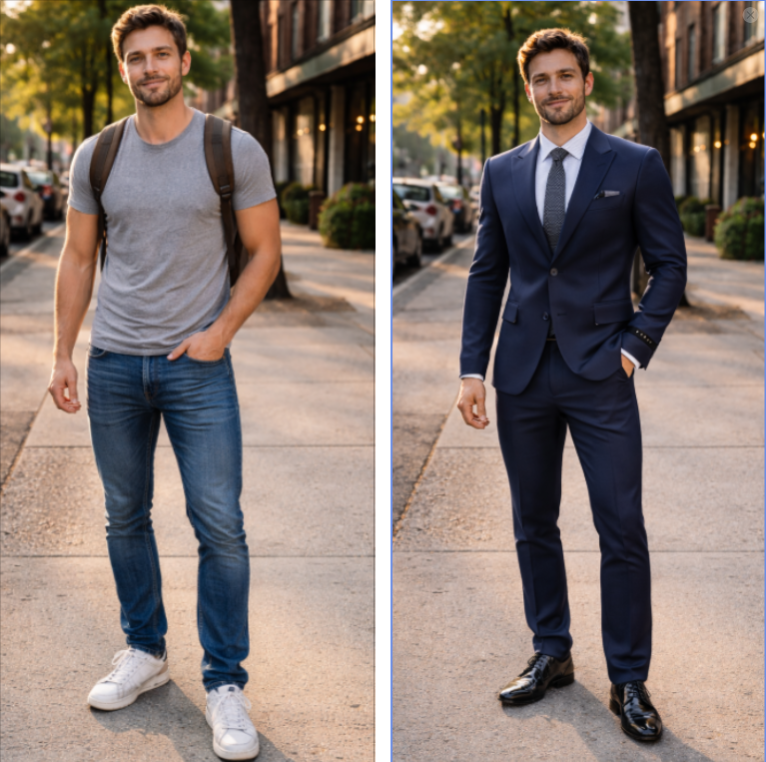
The picture from PixPretty accurate my body detection that fits clothes naturally without distorting posture or body shape in edited images.And I really do like their fast AI processing that delivers results quickly while maintaining clean edges and realistic folds.The interface stays simple, so beginners can use it easily. Anyway,PixPreetty also supports different outfit styles for social media, fashion previews, and personal use.
How to change your outfit with PixPretty AI Clothes Changer?
Step 1:Open PixPretty AI Clothes Changer web on your device.
Step 2: Ipload a photo, choose an outfit, and let the AI handle the rest.
Step3: PixPretty AI clothes changer detects body shape well and applies clothes with proper size and balance. It works well for full-body and half-body images.
Pros :PixPretty AI Clothes Changer:
Cons: PixPretty offers both a free trial and paid plans. The paid version removes feature limitations and improves output quality, which is very practical for users who prioritize high quality, achieving an optimal balance.
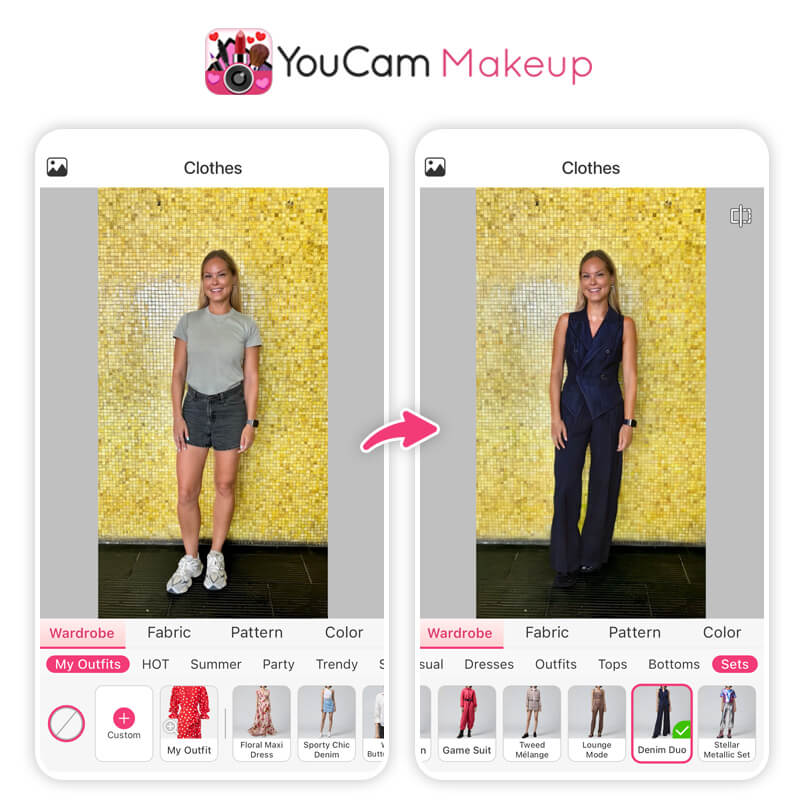
YouCam Makeup includes an AI clothes changer along with beauty tools. The app lets users try outfits on photos using body detection. It works best for portrait and fashion-focused images.
The AI clothing swap feature applies dresses, casual wear, and themed outfits. Users can also edit makeup and hair in the same app. This makes it useful for full look previews. However, the tool focuses more on beauty than clothing realism. Full-body edits may show limits depending on pose and lighting.
Pros
Cons
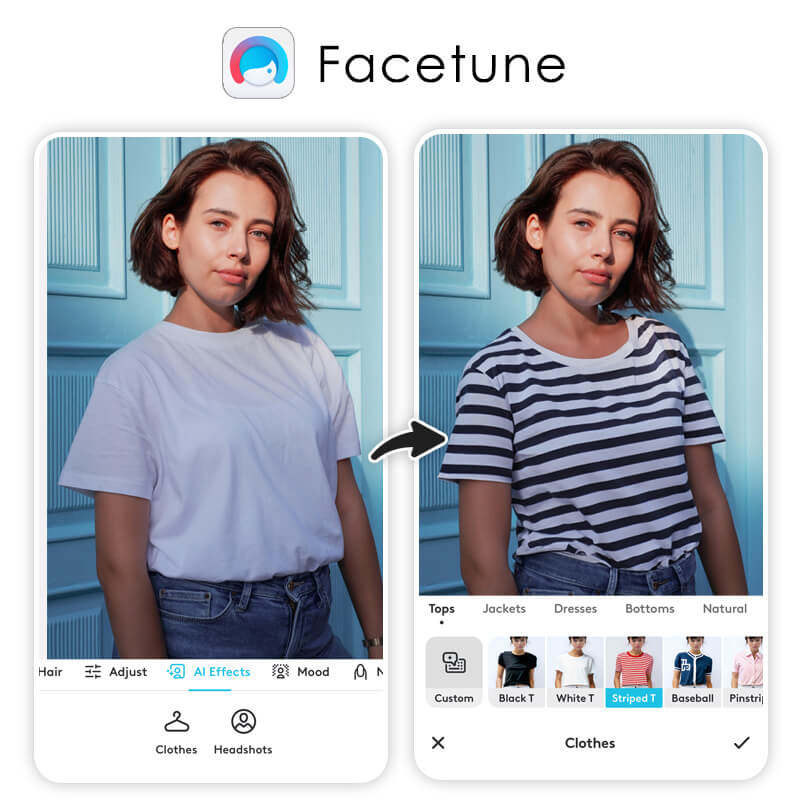
Facetune AI Outfit Changer is popular among content creators for photo edits. Its AI outfit changer allows users to change outfit colors, patterns, and textures. The tool works best for polished social images. The AI adjusts lighting and fabric details fairly well. Users can fine-tune clothing appearance instead of full swaps. This helps create variety from one image. Facetune focuses on style edits more than realistic clothing changes. It suits influencers but not product previews.
Pros
Cons
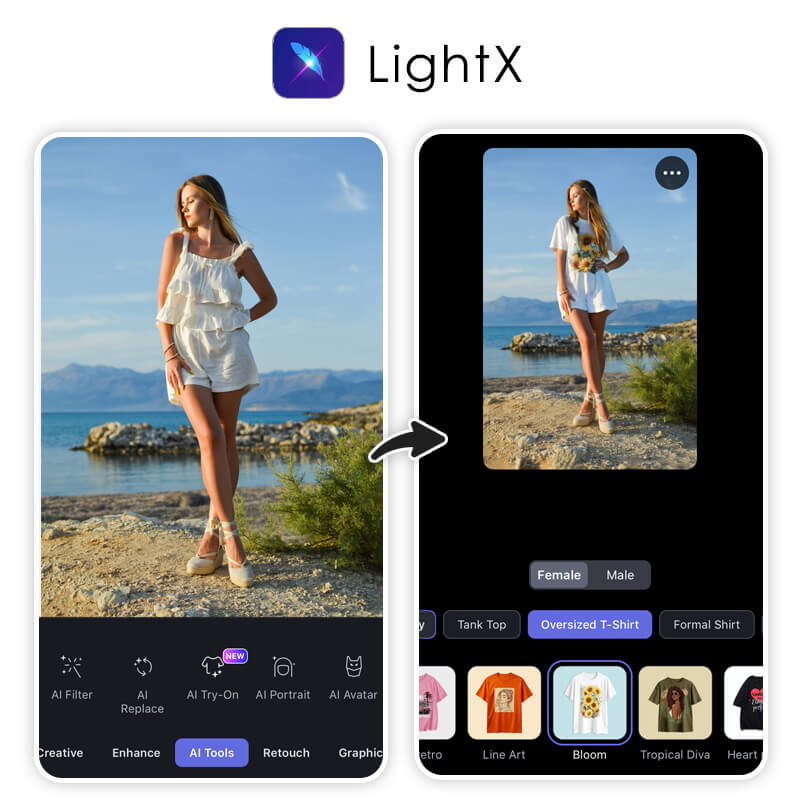
LightX AI Clothes changer offers AI clothing tools with layer-based editing. Users get more control over outfit placement and masking. The clothes swap AI feature works well for users with editing experience. The tool supports manual fixes when AI misses edges. This helps improve results but adds steps. Beginners may need time to learn. LightX suits users who want control instead of quick edits.
Pros
Cons
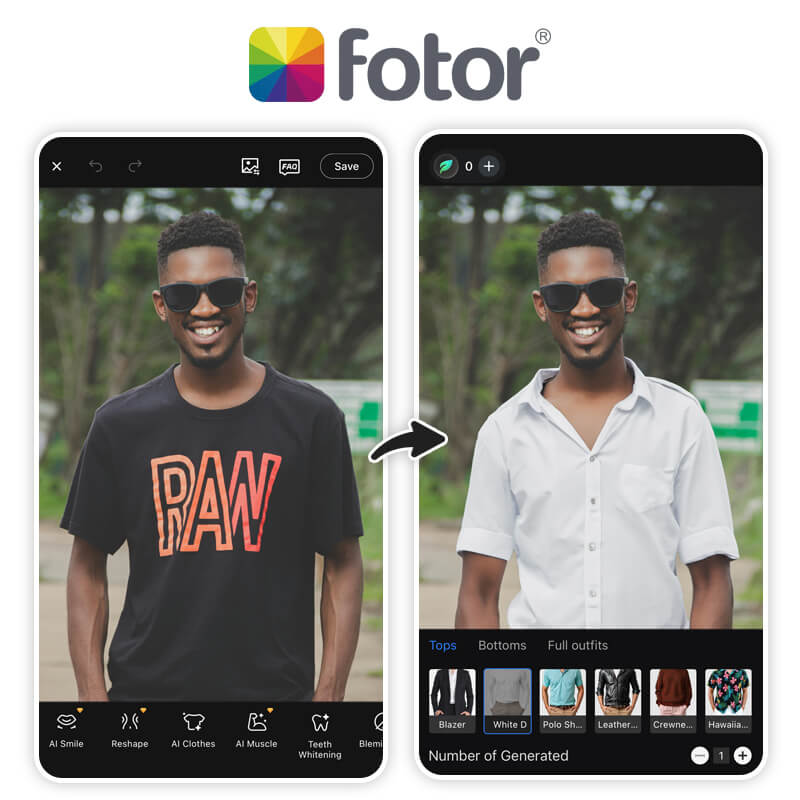
Fotor AI provides a browser-based AI clothing swap tool. Users can drag and drop outfits and adjust images quickly. The tool fits basic editing needs. It works well for simple images and straight poses. However, outfit realism drops in complex scenes. The free version adds watermarks. Fotor suits quick edits rather than detailed fashion previews.
Pros
Cons
InsMind ai focuses on creative outfit edits. The AI outfit changer blends clothes with artistic textures and shadows. This gives a styled look rather than realistic fashion previews. The tool supports controlled draping and shadow edits. It works better for editorial-style images than daily outfits. insMind fits users who want visual effects over realism.

Pros
Cons
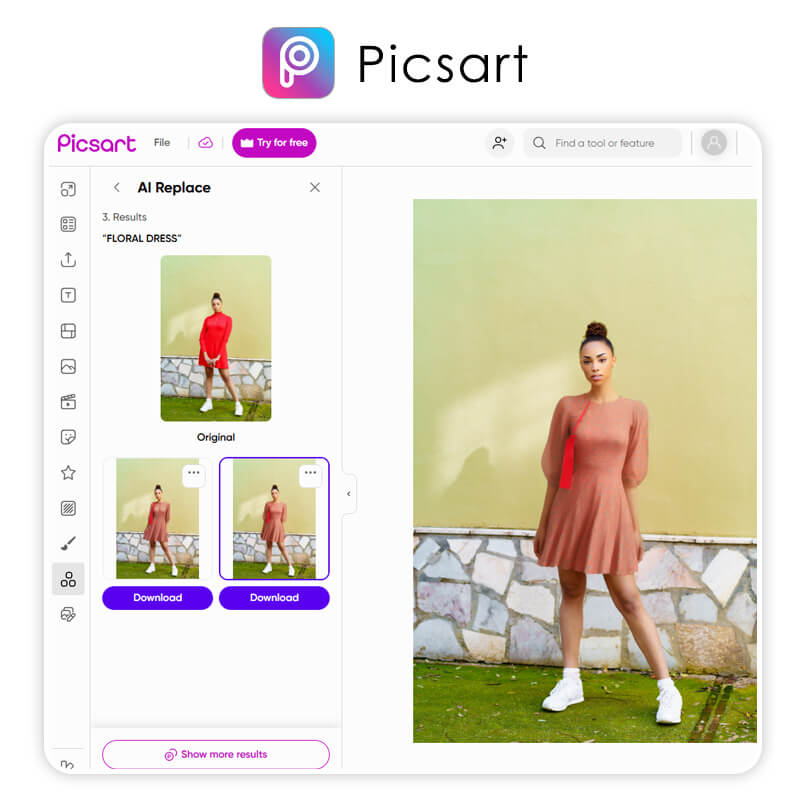
PicsArt Clothes Swap AI focuses on creative and playful outfit changes rather than realistic clothing edits. The tool works best for social media users who want eye-catching content. Users can swap outfits, add stickers, apply effects, and change backgrounds in one place. The clothes swap AI feature helps create trendy posts quickly, but the outfits may not look fully natural. PicsArt suits casual users, influencers, and creators who prefer fun visuals and fast edits over accurate fashion previews.
Pros
Cons
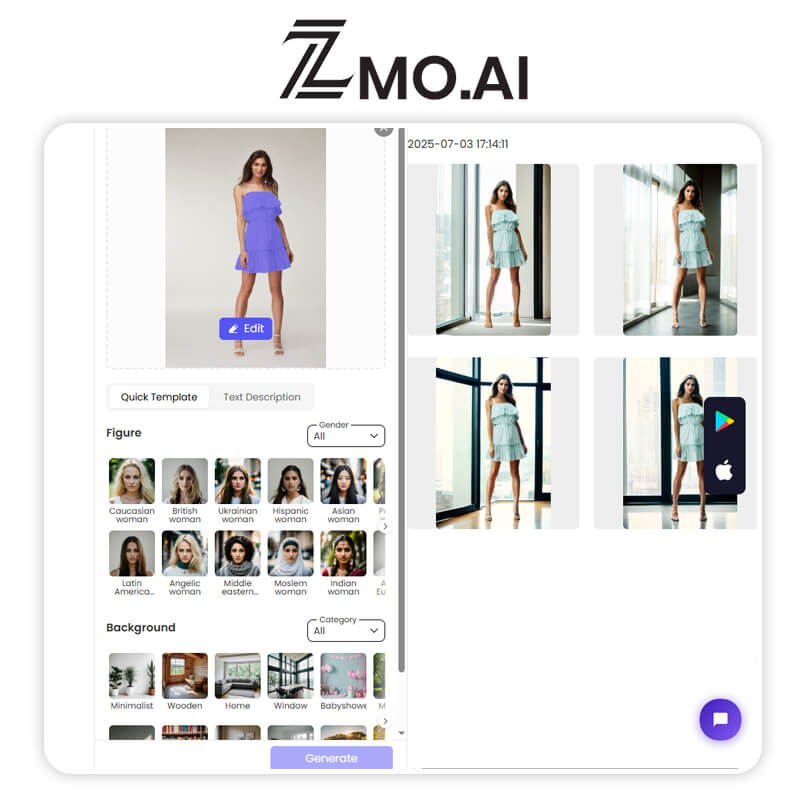
ZMO.AI Try-On is designed mainly for shopping-focused AI clothing swap experiences. Users upload a single photo and quickly try on outfits from selected partner brands. The tool helps shoppers see how clothes may look before making a purchase. It works best for basic outfit previews rather than creative edits. ZMO.AI keeps the process simple and fast, but it offers limited control over clothing fit and design. This tool suits online shoppers who want quick try-ons, not users looking for detailed photo editing or content creation.
Pros
Cons
After reviewing all options, PixPretty AI Clothes Changer (Editor’s Top Pick) clearly delivers the best overall experience. It offers clean AI clothing swap results, simple steps, and reliable output without complex editing. If you want a fast, easy, and natural-looking ai outfit changer, PixPretty is the best choice for everyday use.
AI outfit editing has become easier and more useful than ever. A good AI clothing swap tool saves time, money, and effort. It helps users test styles, create content, and edit images without skills. After reviewing multiple tools, PixPretty AI Clothes Changer (Editor’s Top Pick) clearly stands out. It offers better image quality, simple use, and reliable results.
//Staff writer