Newsletter Subscribe
Enter your email address below and subscribe to our newsletter

Enter your email address below and subscribe to our newsletter

Buying a second-hand iPhone can be a great way to save money, but sometimes you may encounter an unexpected problem — the device is locked with Activation Lock.
Activation Lock is a security feature from Apple designed to protect iPhone users if their device is lost or stolen. However, if the previous owner forgot to remove their Apple ID before selling or giving away the iPhone, the new owner may see the “iPhone Locked to Owner” screen and be unable to activate or use the device.
So, how to remove Activation Lock without previous owner? In this guide, we will introduce several possible methods
Activation Lock is a security feature connected to Apple’s Find My iPhone service. When Find My iPhone is enabled, the device is automatically linked to the owner’s Apple ID.
After a factory reset, the iPhone will require the original Apple ID and password to complete activation. Without the correct credentials, the device remains locked.
You may encounter Activation Lock when:
There are several ways to deal with an Activation Lock issue.
The safest and official way to remove Activation Lock is to ask the previous owner to remove the device from their Apple account.
The previous owner does not need to be physically near the iPhone. They can remove the device remotely through iCloud.
After the device is removed from the previous Apple ID, Activation Lock will be disabled, and you can activate the iPhone with your own account.
If you cannot contact the previous owner and don’t have the Apple ID password, using a professional iPhone Unlocker can be an effective solution to remove iCloud Activation Lock without password.
iToolab UnlockGo is designed to help users remove iCloud Activation Lock and bypass the “iPhone Locked to Owner” screen on supported devices without requiring the previous owner’s Apple ID credentials.
It supports many iPhone models and provides a simple step-by-step unlocking process.
Step 1: Download and install iToolab UnlockGo
Launch iToolab UnlockGo and select: Unlock iCloud Activation Lock
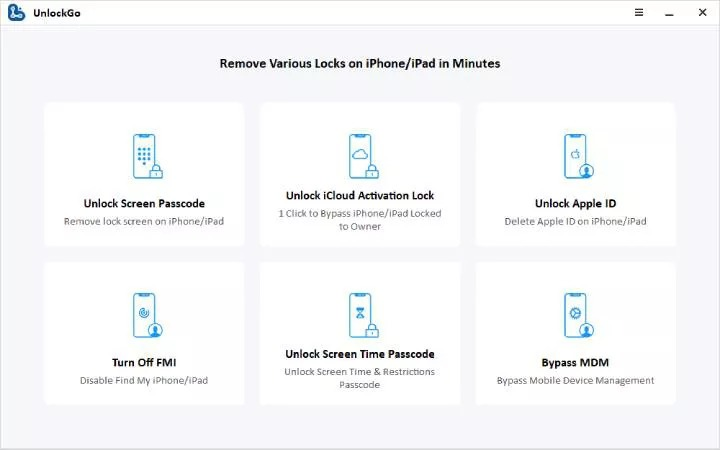
Step 2: Connect Your iPhone
Connect your locked iPhone to the computer using a USB cable.
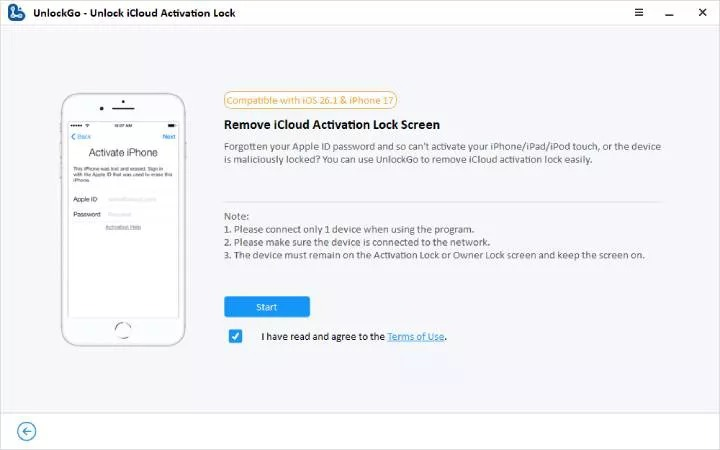
Step 3: Start the Unlock Process
Click Start to begin removing the Activation Lock.
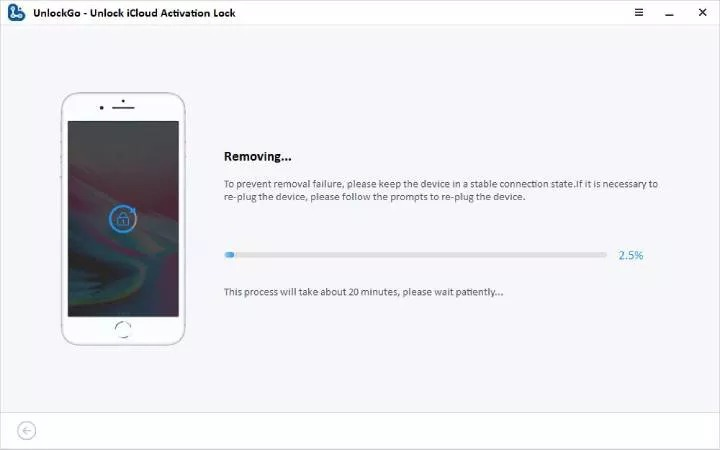
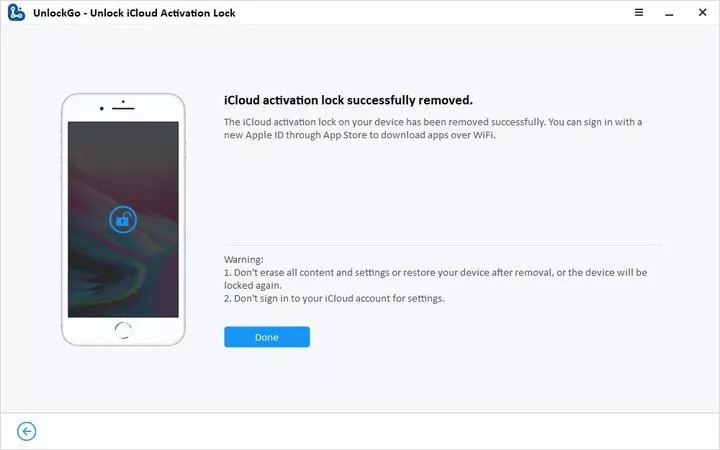
Step 4: Wait for Completion
The software will process the device automatically.
Once the process finishes successfully, your iPhone will restart.
If you are the legitimate owner of the iPhone and have valid proof of purchase, contacting Apple Support is another official solution.
Apple may help remove Activation Lock after verifying ownership.
You may need:
Some users try DNS bypass methods as a temporary workaround for Activation Lock.
A DNS bypass changes the device’s network settings to redirect the activation process and access limited device functions.
Before purchasing a second-hand iPhone, make sure it is not linked to the previous owner’s Apple ID.
Since Activation Lock is connected to your Apple ID, keeping your account secure can help prevent access issues.
Keep your purchase receipt and device information in case you need to verify ownership with Apple Support.
Important details include:
If you are unable to reach the previous owner or do not have access to the original Apple ID credentials, iToolab UnlockGo iPhone Unlocker provides a convenient solution to remove iCloud Activation Lock without password on supported iPhone models. With a simple and user-friendly process, it enables users to complete the process easily and regain access to their devices.
The best way to avoid Activation Lock issues is to check the device status before purchasing a second-hand iPhone. Always make sure the previous owner has signed out of their Apple ID and removed the device from their account to ensure a smooth setup experience.